

![[Valid RSS]](http://maniek86.xyz/cmsesus/uploads/image/valid-rss-rogers.png "Validate my RSS feed")

M8SBC-486: MS-DOS, FreeDOS and Windows 3.1
[Go back to the main page of this project] [Previous part]

History
When I started working on the project, I never expected this board to run a DOS operating system. However, this idea changed while I was trying to get Linux to run on the board in December 2025. I realized how few changes (to Linux) I had to make to Linux to get it to run - I didn't even modify its source code! Since I was still using my own homebrew BIOS, I blamed it instead of the board. Therefore, I decided to check out other people's open-source BIOS projects. I stumbled upon one on GitHub created by b-dmitry1. It's a small, compact BIOS designed for embedded systems, FPGAs and emulators. I decided to try running it on my board. After making some quick adaptations for my board and 486 CPU (ROM layout, removing the initialization of the second PIC, etc.), the BIOS started up just fine! I could see it trying to load an OS from a hard disk that wasn't connected yet. I quickly prepared an MS-DOS installation in an emulator on my computer and copied it onto the hard drive. I made the partition size small, about 50 MB (as far as I can remember) and I disabled HIMEM because I thought it might cause problems. I connected the hard drive to the M8SBC-486, turned it on and, after a moment, saw the MS-DOS 6.22 prompt! I was shocked to see MS-DOS running on my homemade computer. I can't describe how happy I was to see that a computer not fully compatible with the 486 could run DOS.
I immediately began testing various software programs. Some DOS utilities worked and some did not, such as EDIT (system freeze). As I expected, HIMEM didn't work (system freeze). Out of curiosity, I tried the Second Reality demo, which worked surprisingly well with only minor issues in two parts.
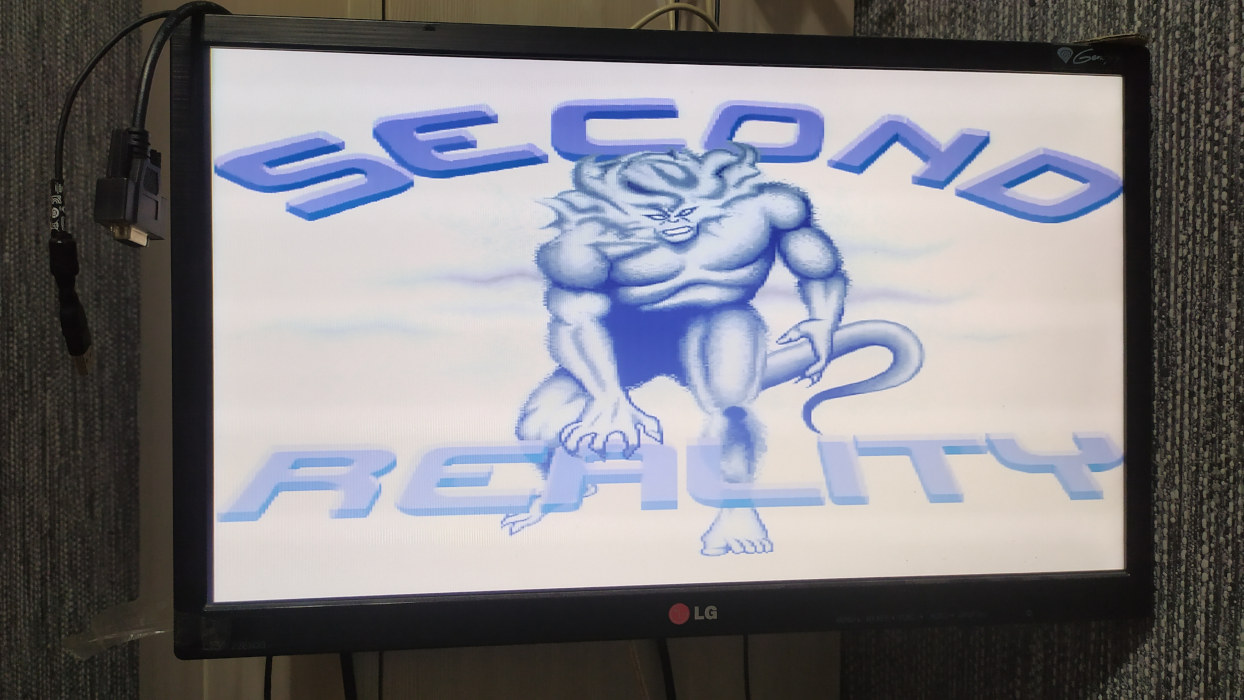
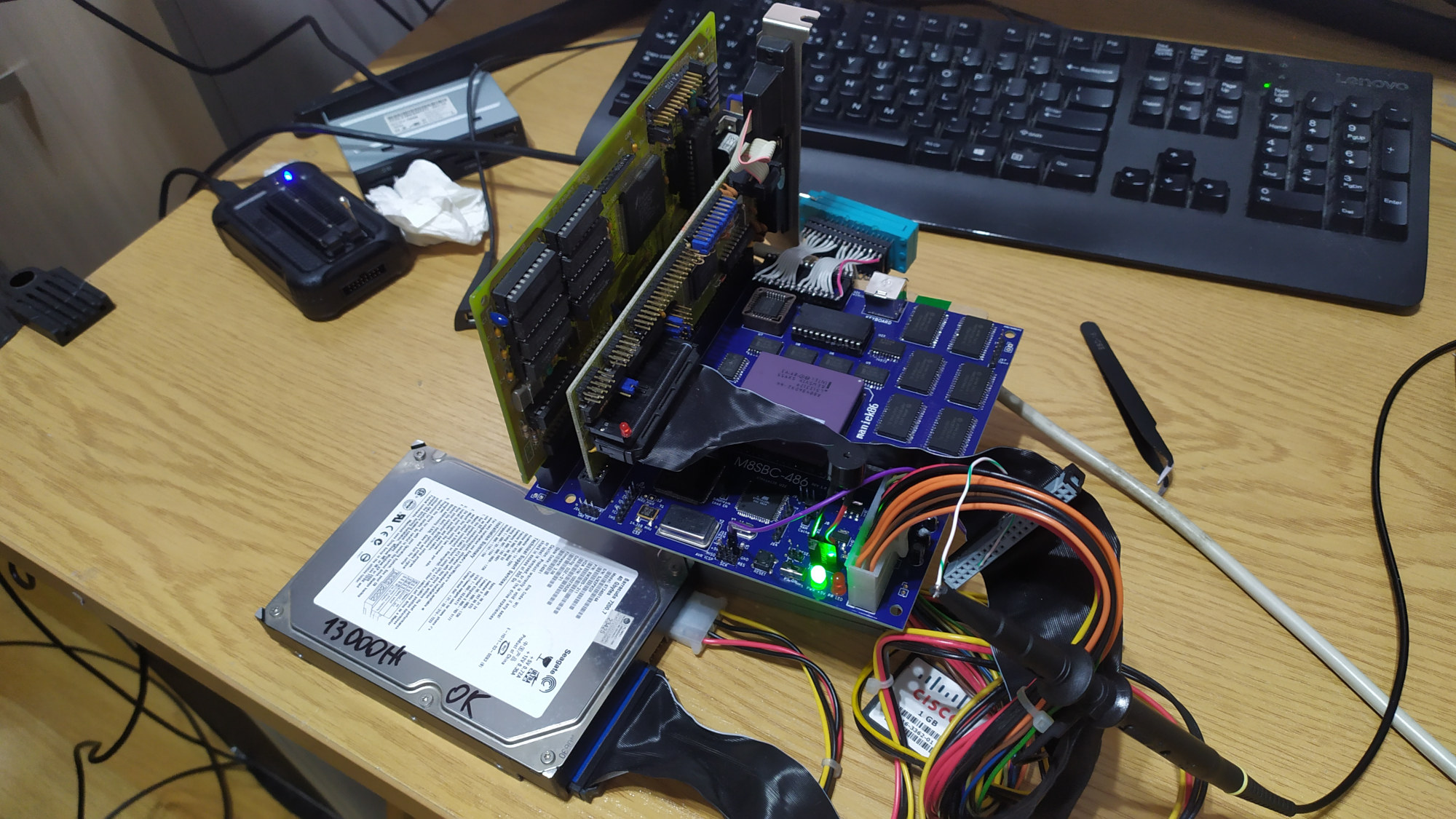
M8SBC-486 setup during first DOS tests
From my initial tests, I could run the following: Prince of Persia, Wolfenstein 3D, CACHECHK, the SuperScape benchmark and a few other less complex programs. One problem that annoyed me quite a lot was freezing. MS-DOS doesn't have an exception handler. For example, I couldn't debug why such a simple program as EDIT froze. Then I remembered FreeDOS. FreeDOS can handle errors and at least print what's going on during an exception. I did the same thing I did with MS-DOS (installed FreeDOS in an emulator, then copied it onto the hard drive) and it successfully booted on the M8SBC-486! FreeDOS's included memory manager worked fine, giving me more memory to work with.
Meanwhile, I decided to ask b-dmitry1 if I could use his BIOS as a base for my new BIOS (I had started writing a BIOS previously, but I couldn't get it to run DOS). He agreed! I began adapting his BIOS to my board and improving it in general.
Software compatibility has improved over time and continues to do so. You can find the current compatibility table for the most notable software and hardware on the main page of the project.
Various stories with running DOS
FastTracker II and DIY LPT DAC (Covox Speech Thing)
The first time I managed to get MS-DOS and FreeDOS to boot, I copied a couple of programs onto the hard drive. These included the classic DOS tracker: FastTracker II. When I tried to launch it, I was surprised to find that it worked. One feature I was aware of was the ability to play music via the PC speaker and the Covox Speech Thing (a simple DAC made of resistors plugged into the LPT port). Due to the lack of DMA, standard ISA sound cards cannot work on the M8SBC-486. But what about these two options?
I quickly loaded a module from the hard drive next to the FastTracker II copy, changed the output setting to "PC Speaker" and heard something! The only issue is that there is no sound when the PC speaker is set to "single-bit" mode (at the time of writing, the M8SBC-486 does not support setting the position of the PC speaker at a hardware level - bit 1 of port 0x61). The only way to achieve sound with this output is to set the PC speaker to use "pulse modulation", which probably controls the PIT (Programmable Interval Timer) to produce sound via PWM (Pulse Width Modulation).
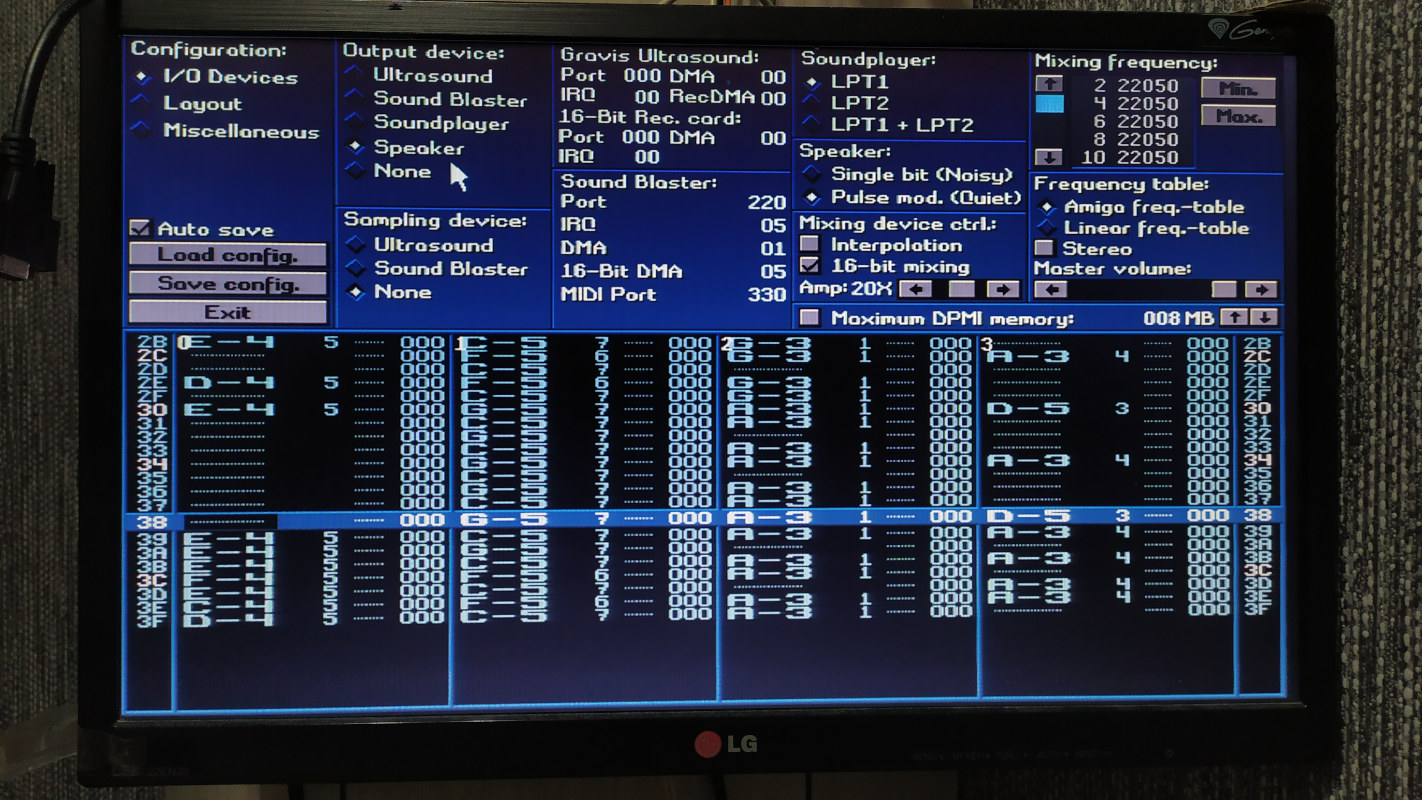
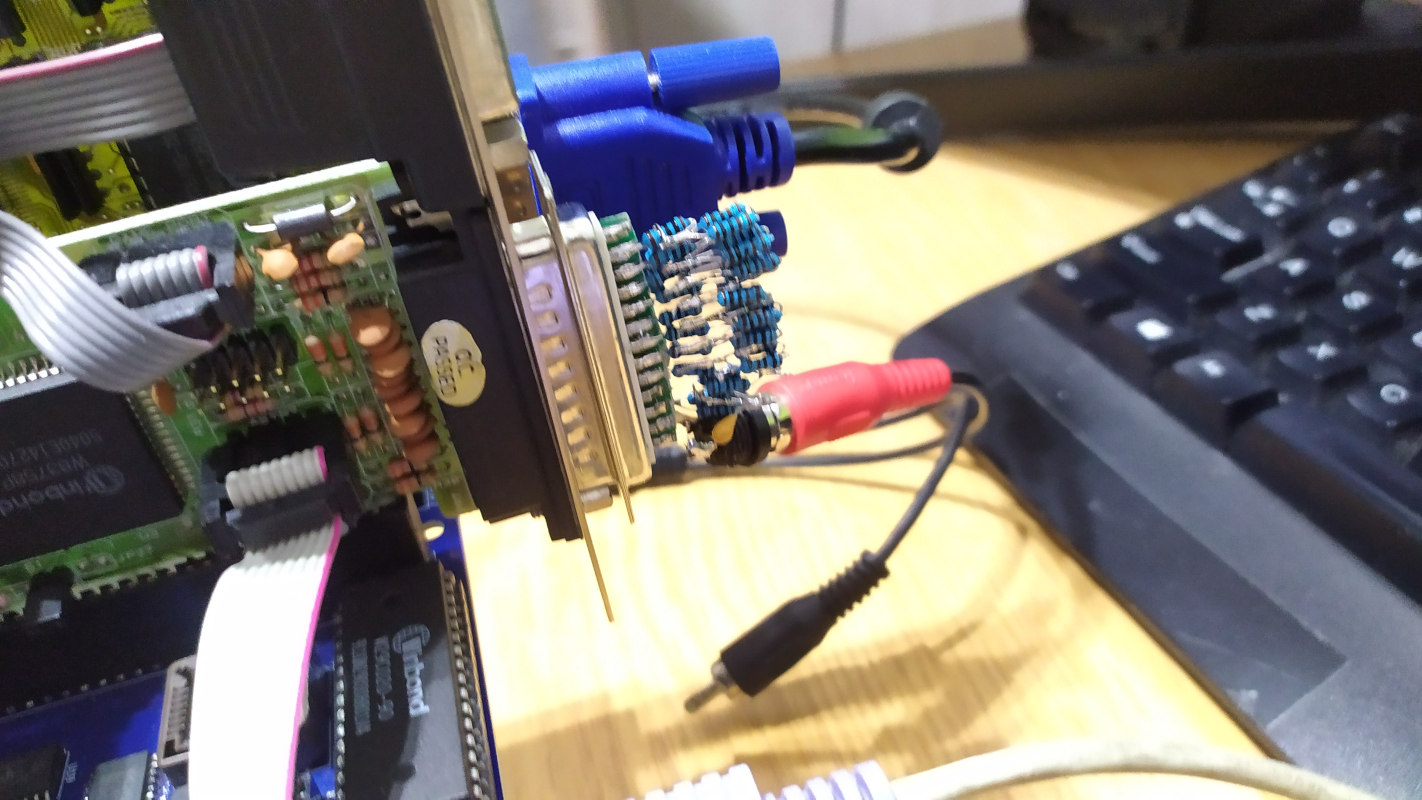
Regarding the Covox solution, I later decided to build a clone using parts I had in storage. Much to my surprise, after connecting it to the LPT port of a connected multi I/O card, changing the FastTracker settings and finally playing a module, I heard quite good quality sound! The only issue I had was background noise, but I discovered that enabling the "Stereo" option (not the dual Covox option, but the option to mix in stereo) fixed that. I don't know what the exactly problem is. But anyway, the board is able to nicely play a 10-channel tracker module at 22.05 kHz!
Using AdLib compatible sound card and connecting to the internet with NE2000 card
One of the issues with M8SBC-486 is that it has only two ISA slots. This generally limits usage to one Multi I/O card and graphics card. In April 2026. This problem can be solved with an ISA riser, but the issue with such risers that they are quite expensive for just a piece of PCB and few ISA connectors (at least here in Poland)! In April 2026 I managed to hunt an riser cheap but with one detail - it was a PISA riser! Although, I decided to buy it because I had quite unusual idea in my mind - what if I remove the extended section of the PISA edge connector with a grinder? It happened that ISA section of the connector is routed 1 to 1 with ISA slots. The traces between ISA contacts are thin enough to avoid contact with ISA pins.
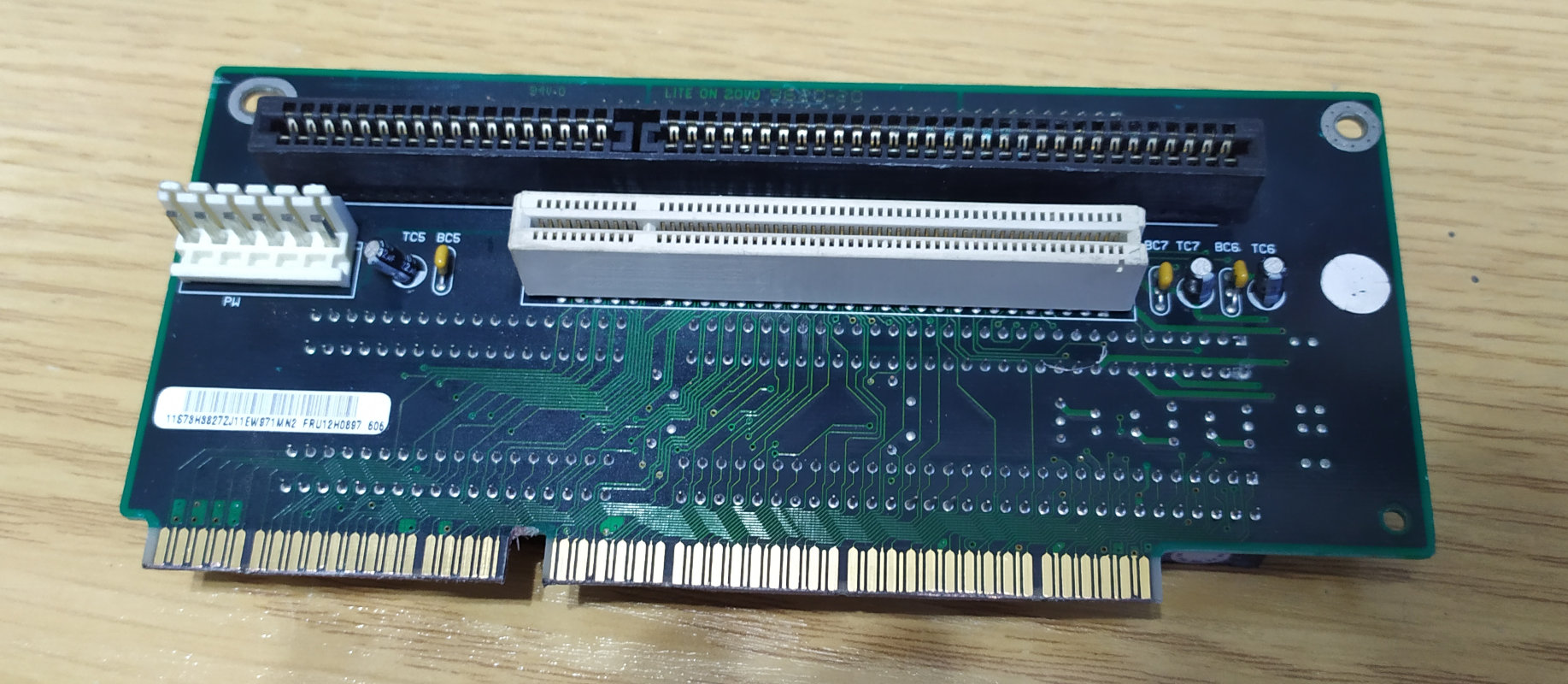
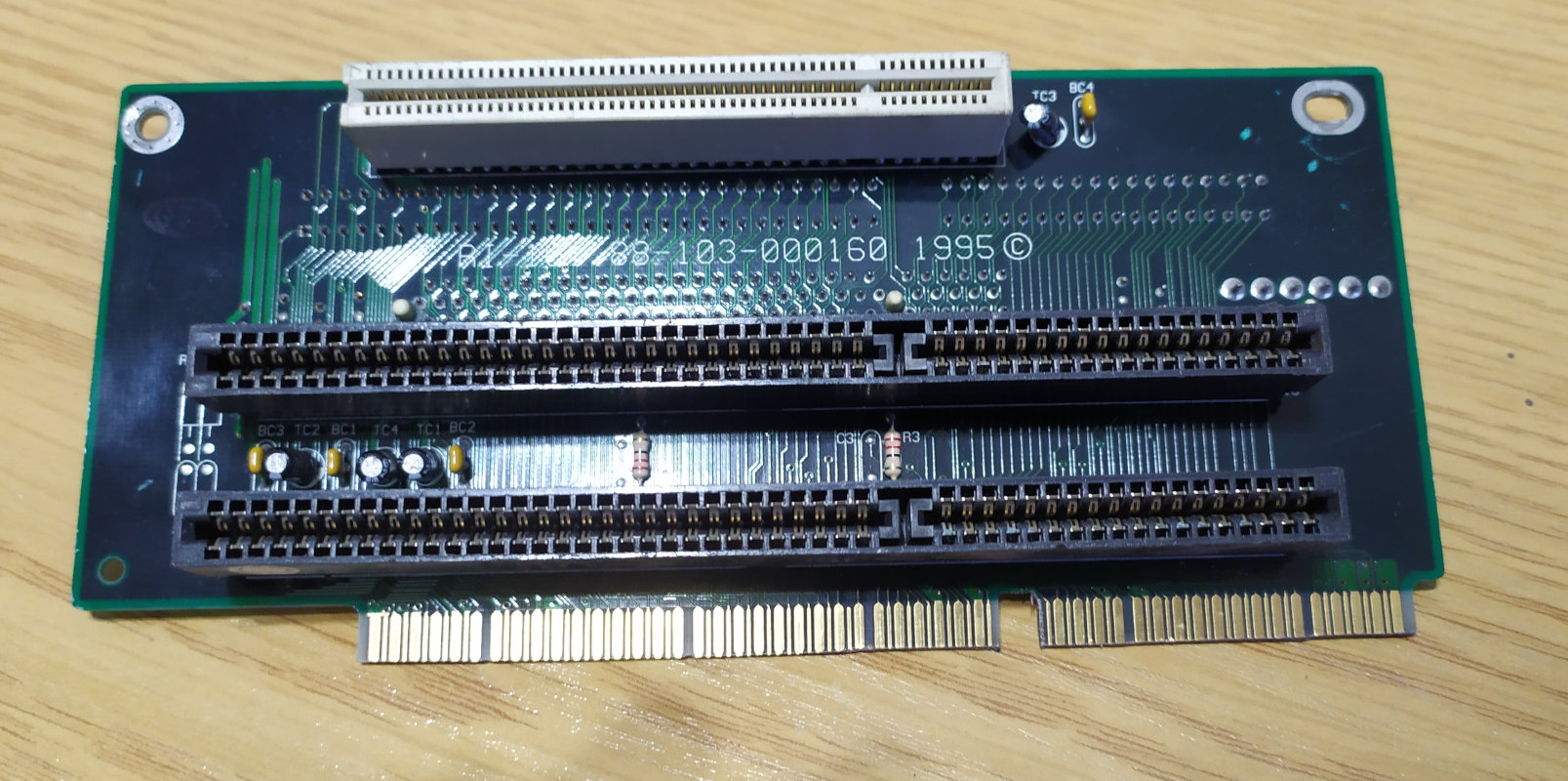
After making this unusual mod, I checked for shorts and found none. With my fingers crossed, I plugged the riser into my board with the graphics card connected to it. Upon turning it on, it actually worked! I got my hands on an ISA riser for a cheap price.
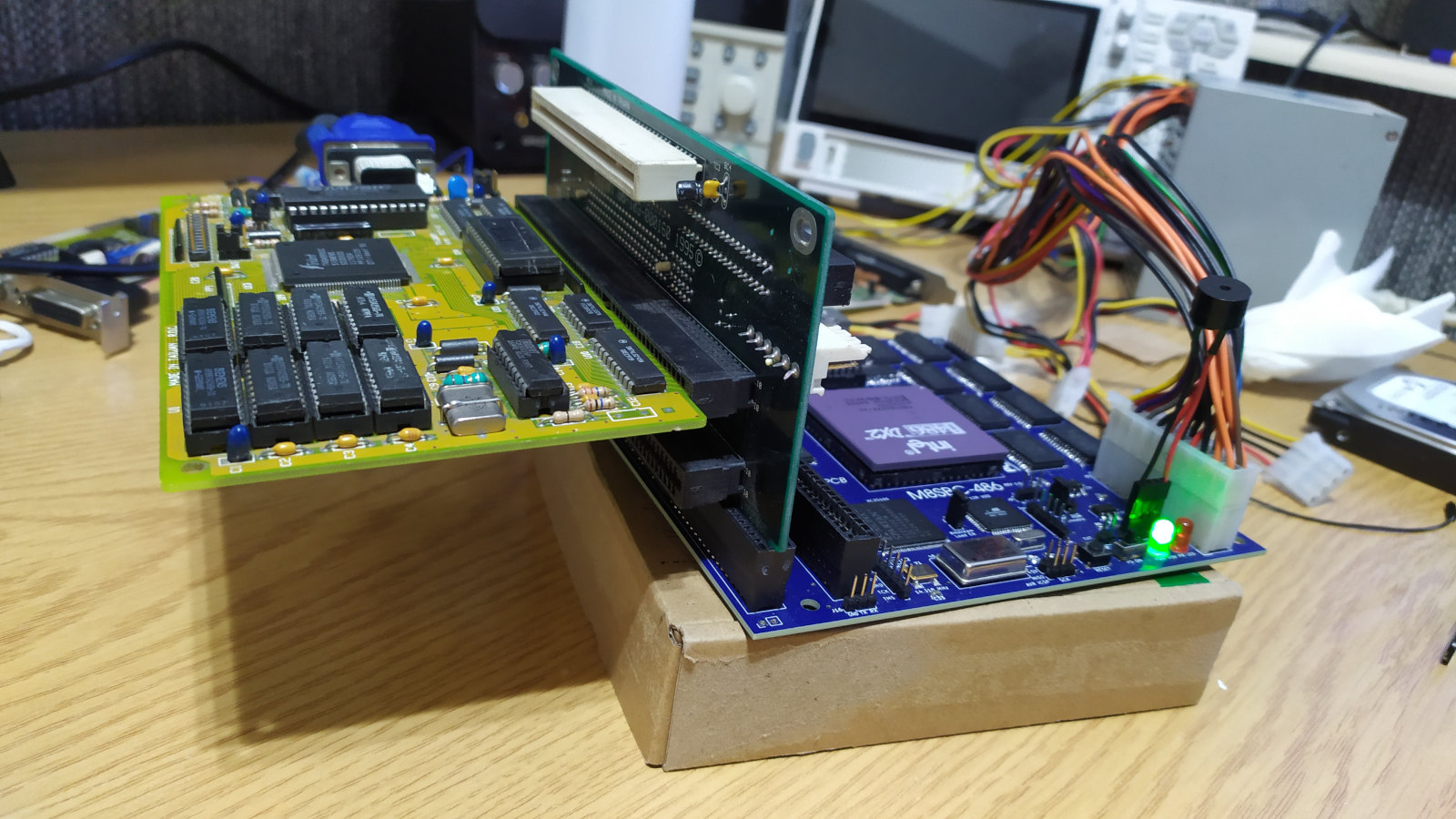
I immediately began testing additional ISA cards. The first one I tested was a NE2000 network card with a feature to operate in non-PnP mode (my BIOS lacks PnP support at the time of writing). I set it up to operate in non-PnP mode at base address 0x300 and interrupt 5 (note that there is no second PIC). After downloading the standard networking pack with the NE2000 driver and the TCP pack, I managed to connect FreeDOS to the internet! I was able to perform standard tasks such as pinging, but one of the most impressive things I achieved was hosting an FTP server!
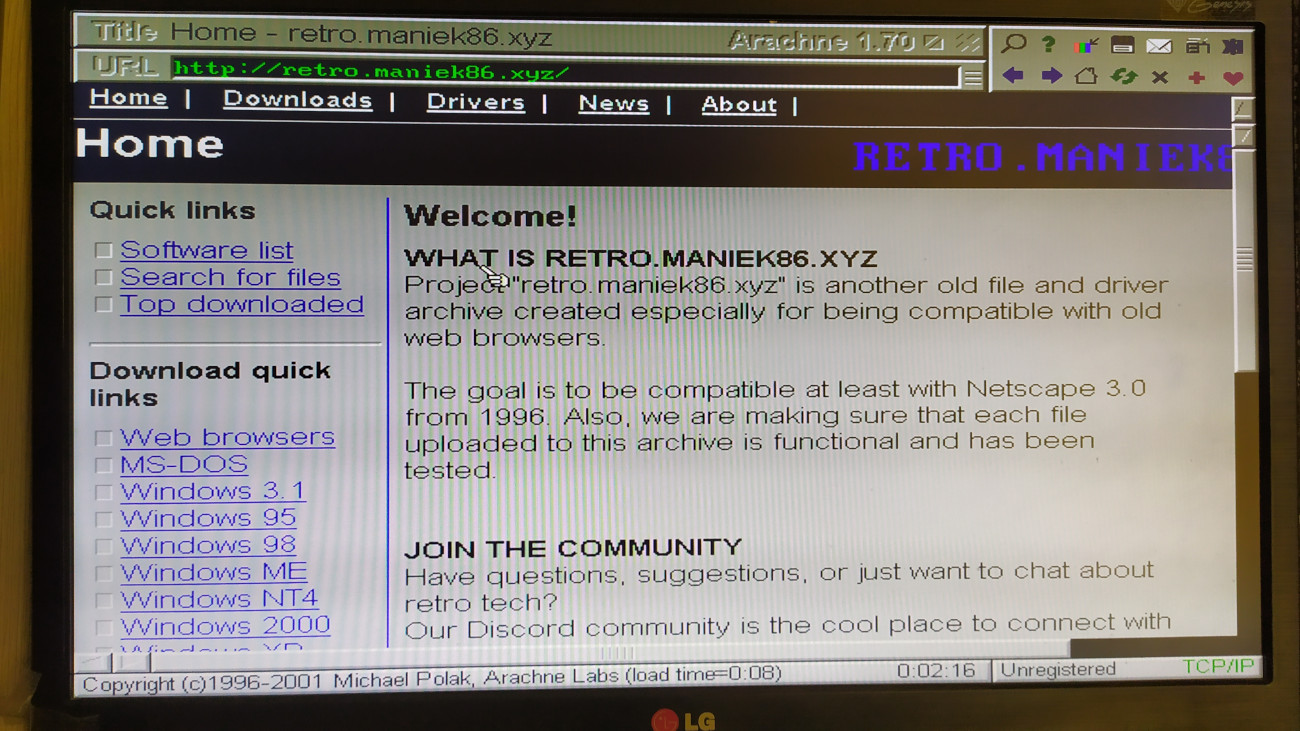
Later on, I even tested the Arachne2 internet browser. It installed successfully and worked. I only had a tiny bit of trouble getting the NE2000 packet driver to work properly with it in terms of configuration.
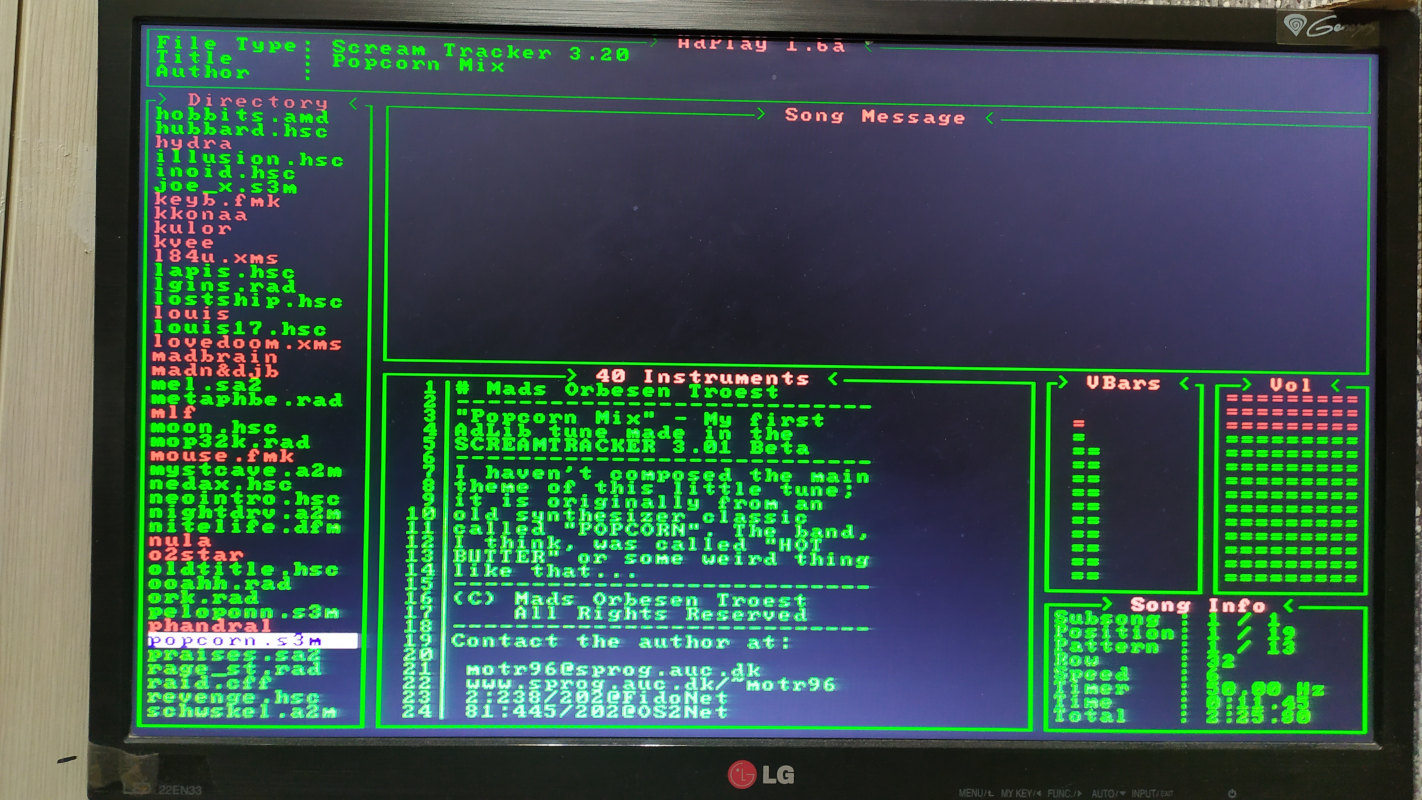
The second type of cards that I began testing were sound cards. Due to the missing DMA, I couldn't get any PCM audio out of my computer, but I thought AdLib (FM synthesis) would at least work. I tested a few cards with the UNISOUND driver, but it froze with each one. Then, since I had a Crystal CX4235 card on my desk, I decided to try using the official driver with it. It actually initialized! Out of curiosity, I tried using a program that uses PCM and it was silent (as expected). However, with programs that could use AdLib, I could hear music!

Windows 3.1
I got the idea to try running Windows 3.1 when MS-DOS was still quite broken due to BIOS issues (around the beginning of 2026). I was primarily using FreeDOS. I thought: "What about trying to run Windows 3.1 on it?". So first, I searched the internet for compatibility reports of Windows 3.1 with FreeDOS alone. I found out that, with a modified kernel (available to download), Windows 3.1 could actually run in enhanced mode. (Here's the guide I followed and the files I used). Out of curiosity, I copied a Windows 3.1 installation and the modified FreeDOS kernel to my FreeDOS drive. After replacing the kernel and successfully booting it, I modified the Windows 3.1 files to disable 32-bit disk access in the configuration files, just before trying to run the "win" command. This prevents a situation where Windows tries to access the disk using its native drivers, which could potentially use interrupts from the second PIC or DMA.
Once everything was ready, I finally typed the "win" command and to my surprise, Windows started!
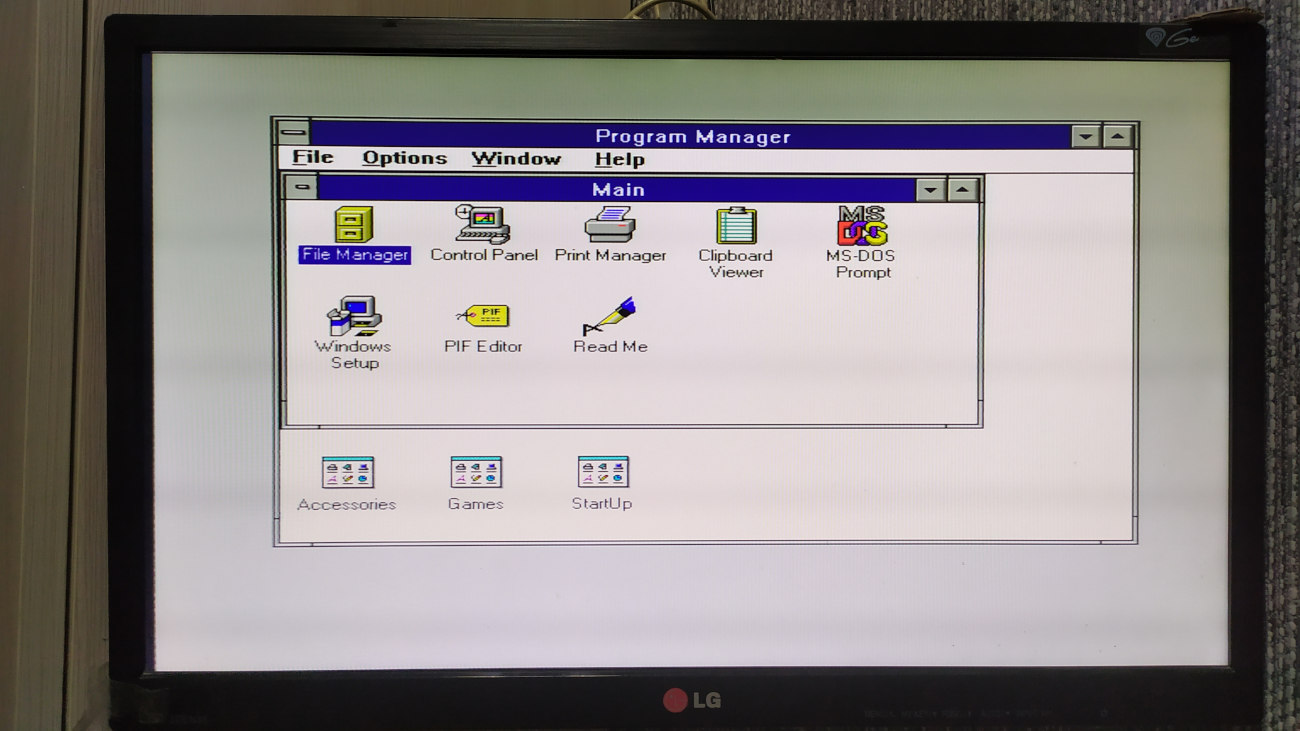
It works pretty well, with one major issue. I didn't generally experience Windows or programs crashing, but I couldn't use the serial mouse. Serial mice are known to work with the M8SBC-486 (example: in FastTracker II with the CT-MOUSE driver). I tried changing lots of settings, installing and using different drivers and changing the COM port settings in Windows, but nothing worked in the end. After spending a few hours on this, I decided to give up and accept it. The fact that Windows 3.1 is running stably is impressive enough. I don't know what the issue might be, but I think it might be related to FreeDOS, BIOS or Windows COM port handling.
Last updated: 07/10/2026